Backlog Tracking
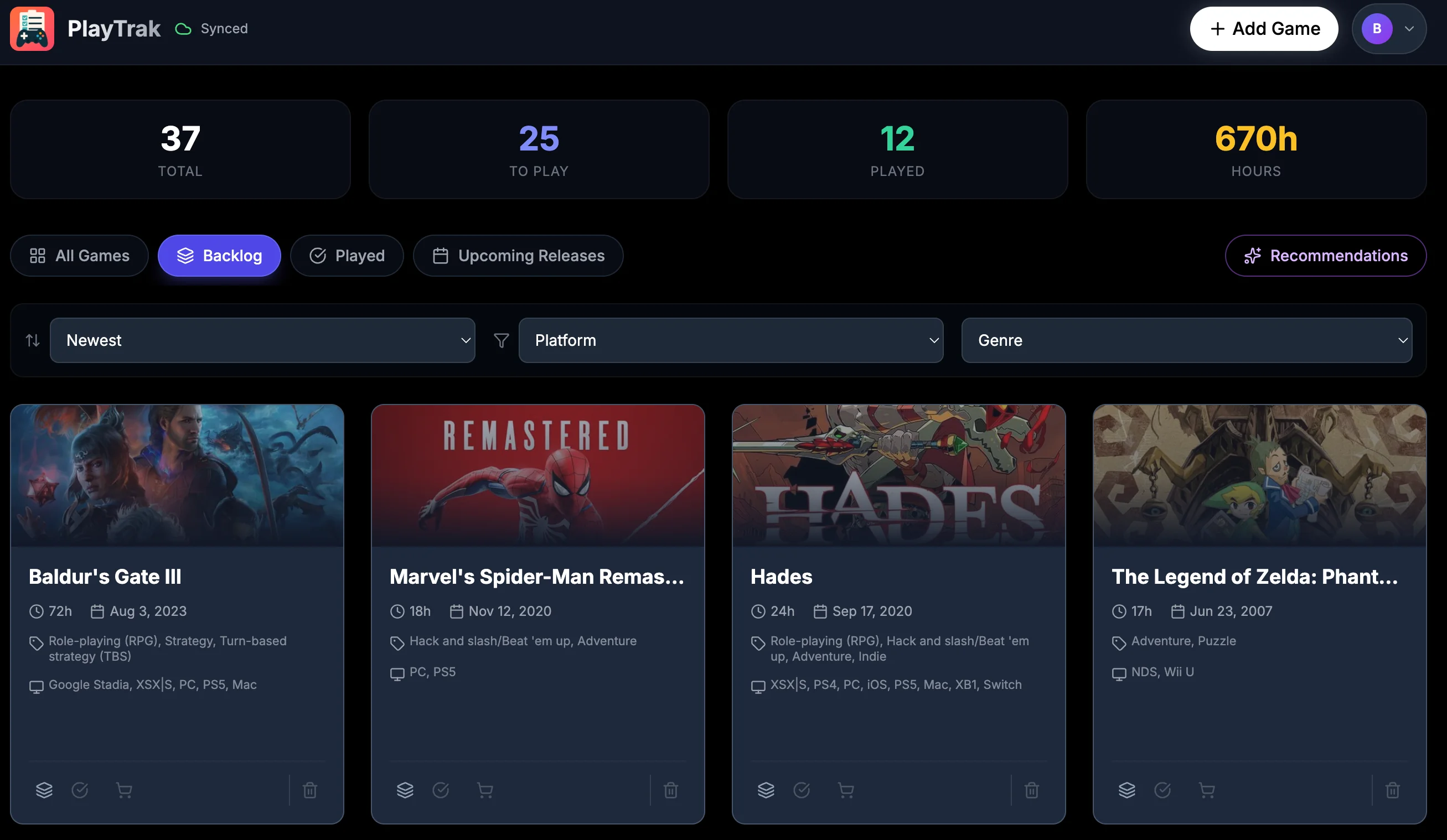
Log any game you've played, are playing, or want to play. Organize into Backlog, Completed, and Upcoming with a single tap.
Log every game you own, see how long they take to beat, and get personalized recommendations. Works offline, syncs across devices.
Be as organized as you want with features built for every type of gamer.
Log any game you've played, are playing, or want to play. Organize into Backlog, Completed, and Upcoming with a single tap.
See how long each game takes to beat at a glance. Plan your gaming time with HowLongToBeat data built right in.
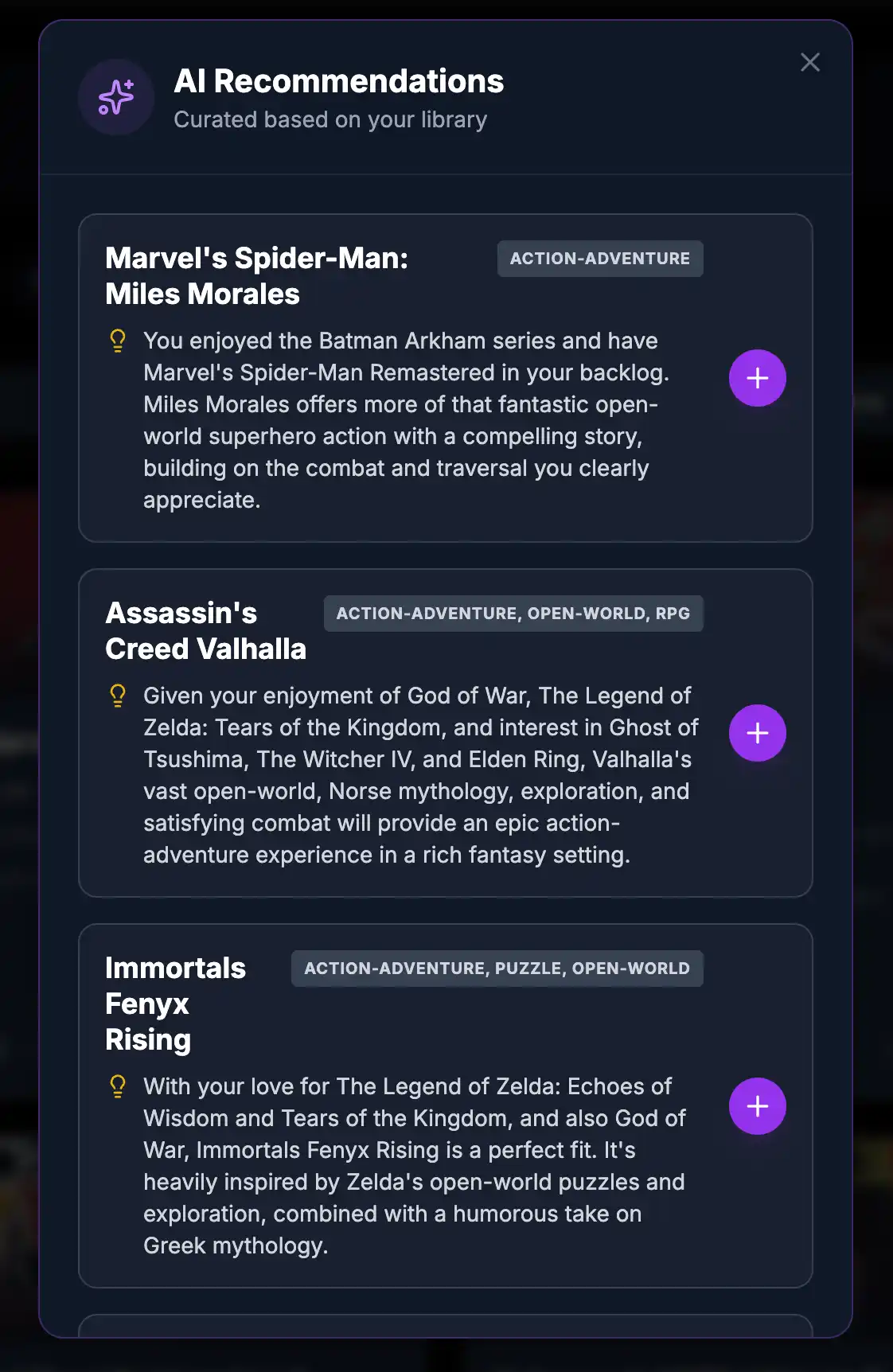
Get personalized suggestions based on what you play. Let AI analyze your library and pick your next perfect game.
Search any game from a massive database. Get release dates, platforms, genres, developers, and cover art instantly.
Keep your library synced across all your devices. Sign in anywhere and pick up right where you left off.
Your entire library lives on your device. No internet? No problem. Everything syncs when you're back online.
Never miss a launch. Get notified when games in your backlog are about to drop.
Filter by platform, genre, or status. Find exactly what you want to play in seconds.
Install on any device as a PWA. Your backlog goes wherever you go.
No account needed. Just search, add, and start tracking.
Find any game in the IGDB database and add it to your backlog with one click.
Move games between Backlog and Completed as you play through your collection.
Let AI pick your next game based on everything you've played and loved.
Games in Database
Free Forever
Ads or Tracking
Offline Access
Common questions about PlayTrak and how it works.
PlayTrak recommends Gemini for several important reasons:
Accurate Playtime Data: HowLongToBeat.com does not offer a public API for retrieving estimated playtimes. While third-party libraries exist most have not been maintained for years and we prefer not to rely on outdated software. Gemini's Grounding with Google Search feature enables real-time web searches, providing significantly more accurate playtime estimates.
Free API Access: Google AI Studio offers a free tier where you can obtain an API key at no cost. In contrast, OpenAI and Anthropic do not provide free API tiers.
Alternative Providers: If you prefer to use a different AI provider PlayTrak supports this option. Navigate to Settings and enable "OpenAI Compatible" mode. Any provider—cloud-based or local—that supports the OpenAI v1 API can be used. Please note that playtime estimates may be less accurate as this data will be sourced from the model's training data rather than real-time search results.